What Is a Print MIS, and Does a Small Print Shop Need One?
A print MIS (management information system) is software built around the print job. It keeps one record for each job from the first quote to the final invoice: what was quoted, what the customer ordered, how the job moves through production, when it shipped and what was billed. Whether a small shop needs one depends less on headcount than on how often the same job information gets typed again, searched for or chased. If your quotes are consistent, everyone can see where a job stands, and nothing ships without being invoiced, you may not need a print MIS yet. If those three things take a lot of phone calls, spreadsheets and memory, it’s probably time to start looking. The rest of this article explains what a print MIS actually does, the signs worth paying attention to, when waiting is the sensible choice, and what to ask before you choose one.
What a print MIS is (and what it isn’t)
The name causes some confusion. Search for “print management software” and some of the results are about office printers, print queues and toner monitoring. A print MIS has nothing to do with that. It’s shop management software for businesses that produce print for customers. It also isn’t accounting software. Most small shops already run QuickBooks or something like it, and a print MIS usually works alongside it rather than replacing it: the MIS runs the job, the accounting system keeps the books. In a sense, every shop already has a system. For many it’s a pricing spreadsheet, a folder of job tickets, a whiteboard and an inbox. A print MIS brings those pieces into one place, so the information entered at the quote is still there when the job reaches the press, the shipping desk and the invoice.
What it does across one job, from quote to invoice
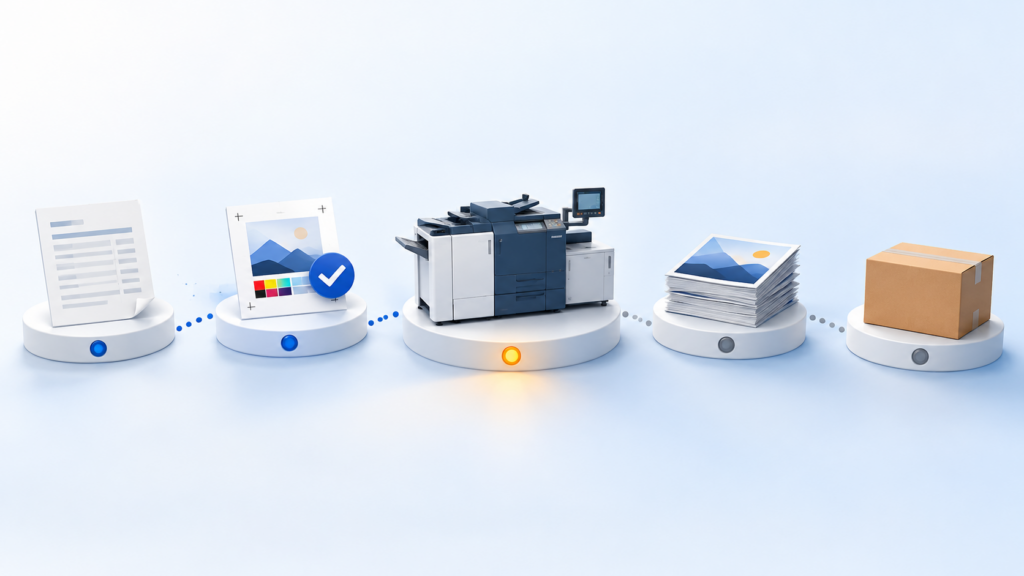
Follow one ordinary job: 2,000 brochures for a business client who orders every quarter.
- Quote. The estimator prices it from the shop’s own products, stock, finishing and price breaks, instead of rebuilding the price in a spreadsheet.
- Order. When the customer says yes, the quote becomes the order without retyping the stock, quantities and finishing notes.
- Proof. The proof goes out, and the customer’s approval or change request comes back attached to the order rather than to someone’s email.
- Production. The job’s steps and status are visible to the people who need them, so the CSR can answer “where’s my order?” without walking to the press.
- Shipping. Delivery details, including a split delivery to several addresses, travel with the order.
- Invoice. The invoice is built from the order, so the quoted charges and the extras added along the way end up on it.
Systems handle each step differently, and not every product covers all six. The thread is what matters: one job record that each team adds to, instead of a new copy at every handoff.
Signs a small shop has outgrown spreadsheets and paper tickets
None of these on its own means you need new software. Several together usually do.
- Quotes come out different every time. Two people price the same job differently, or only one person in the shop really understands the pricing sheet.
- The same job gets typed more than once. Quote details are retyped into an order, then onto a ticket, then into the invoice. Each copy is another chance for a detail to drop.
- Status lives in someone’s head. Customers call to ask where their job is, and the answer takes a walk to the floor or a few messages.
- Job tickets say “see email”. The press operator stops at makeready to find an answer that was settled days earlier.
- Jobs ship before they’re invoiced, or without every charge. The extra proof round, the rush fee or the second delivery address gets missed at month-end.
- You can’t tell which jobs made money. Costs are scattered, so prices are set by feel rather than by what past jobs actually cost.
When a small shop can wait
Not every shop needs a print MIS today, and an honest answer should say so. If you’re a two- or three-person shop, most of your work is walk-in or simple repeat jobs, one person quotes everything, and your spreadsheet and accounting software are keeping up, the cost and setup time may not pay back yet. The same goes if you’re about to change what you sell: it’s easier to choose a system once you know the work it has to handle. A sensible middle step is to tighten what you already have:
- one pricing sheet that everyone uses
- one place where job status is written down
- a rule that nothing goes to production without an approved proof
- a weekly check that everything shipped has been invoiced
If those habits get hard to keep as the work grows, that’s the signal to start looking.
What to check before you choose one
Vendors will show you long feature lists. These questions usually tell you more:
- Does it fit how your orders arrive? Phone, email, walk-in, online. If you plan to take orders online, check whether those orders land in the same system as everything else.
- Can it price your work? Ask to see one of your own recent jobs quoted, with your stock, finishing and price breaks, not a prepared demo job.
- Does it connect to your accounting? If QuickBooks is staying, ask what gets synced, how often, and what has to be set up first.
- What does setup really involve? Products, prices, customers and workflows have to go in before day one. Ask who does that work and how long it usually takes.
- How is it priced? Per user, per module, with add-ons? Make sure the price covers what you’ll actually use a year from now.
- Who will you call? For a small shop, a support team that answers quickly is worth more than one extra feature.
Where Print WorkTraq fits
Print WorkTraq is a print workflow and business management platform for small and growing print shops, including shops moving off spreadsheets and separate tools. Its WorkTraq MIS module covers the job from estimating and sales orders through production, purchasing, inventory, shipping and invoicing, with Web-to-Print and Styler on the same platform for online ordering and template personalisation. A few examples of what that looks like day to day:
- Quotations are built from your configured products and pricing, with the costing reviewed before they go out.
- When the customer confirms, the quotation becomes the sales order and production job, with the relevant details carried forward.
- Orders can start online, from a converted quote, or as a sales order a CSR enters for a phone, email or walk-in request, all in the same system.
- Each sales order shows its production steps, who is assigned and the calculated production time.
- Invoices are checked against the order, and when every check passes they’re created and emailed to the customer automatically.
- If QuickBooks Online is staying, it can be connected once your customers, items, taxes and accounts are mapped.
All features are included, and pricing is based on the number of users. You can read more about Print WorkTraq for small print shops and the WorkTraq MIS module. If you’re weighing whether your shop is ready, the most useful next step is to see one of your own jobs run through the system. Book a demo and bring a recent quote.