
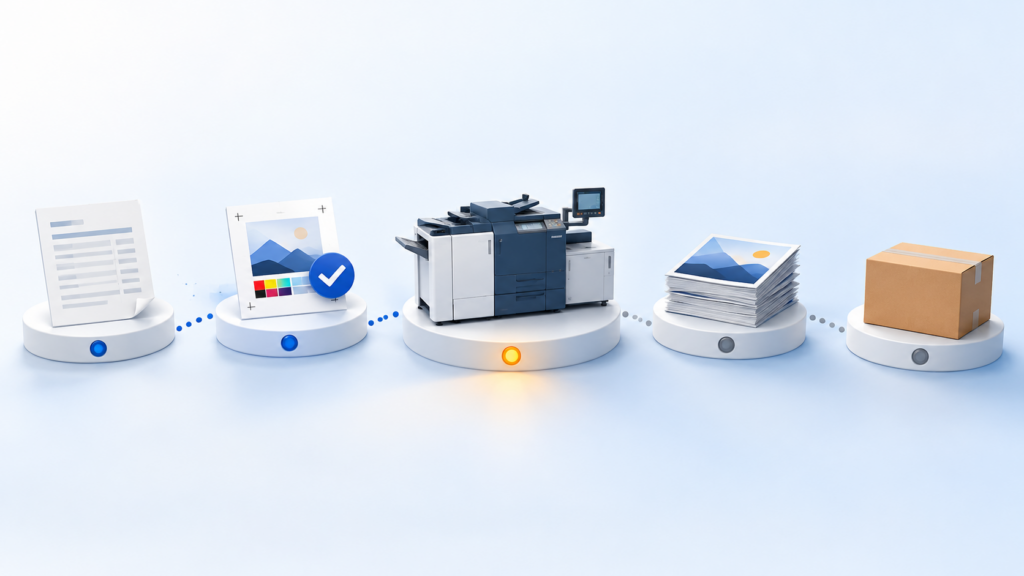
How to Track Print Job Status From Quote to Delivery
Print job tracking means knowing, at any moment, which stage each job is at, what it is waiting on, and whether it will make its date, without walking the floor to find out. In a small or growing commercial shop, that usually comes down to whether the status is written somewhere everyone can see, and whether it changes every time the job changes hands.
Most shops already track jobs somehow: a whiteboard, a folder that travels with the job, a spreadsheet, someone’s memory. The question isn’t whether you track status, but how much of it is current when a customer calls. This article covers what job status needs to show, where the usual tools work and where they break, five habits that keep status current, and what to look for when you outgrow them.
Why “where’s my job?” is so hard to answer
The question sounds simple. The answer usually isn’t in one place.
The quote lives with the estimator. The approved proof is in an email thread. The job ticket is on a clipboard by the press. Finishing knows the job is late only when the skid arrives. Shipping knows the tracking number. When the customer calls, the CSR has to collect those pieces from four people before they can say anything useful, and by then the answer may already be out of date.
None of that is anyone’s fault. Each team records what it needs for its own step. The problem is the handoffs: status changes when a job moves from one person to the next, and that is exactly the moment nobody writes it down.
Print job tracking: what status needs to show, stage by stage
Useful job status is more than “in production”. For each job, the people who answer the phone need to see:
- Quote and order: has the customer confirmed, and is the order in with the agreed specs?
- Proof: has the proof gone out, and has the customer approved it or asked for changes?
- Production: which step the job is on (prepress, press, finishing), and whether that step is running late.
- Shipping: has it shipped or is it ready for pickup, and is there a tracking number?
- Invoice: has it been billed?
The two most useful words in that list are “waiting on”. A job waiting on a proof approval and a job waiting on stock look the same on a board that only says “pending”, but they need very different phone calls.
Whiteboards, job bags and spreadsheets: where they work and where they break
Small shops are inventive about this. In print forum threads on job tracking, printers describe whiteboards with columns for approved, prepress, on press, finishing and shipped; T-card boards in the press room; and the job bag or job jacket, a large envelope that travels with the job and carries its ticket. Others describe a shared Excel workbook with a tab per department, or docket folders paired with a Smartsheet or Trello job board.
These tools work well when:
- the shop is small enough that everyone can see the board;
- one person reliably keeps it updated;
- jobs are simple enough that a column says enough.
They break in predictable ways:
- The board is only as current as its last update. On a busy day, nobody moves the magnet.
- The job bag is in one place at a time. If it’s on the press, nobody at the front desk can read it.
- Spreadsheets fork. Two copies, two versions of the truth.
- Notes get lost. The change the customer phoned in on Tuesday is on a sticky note, not on the ticket.
Shops in those same threads name the cost plainly: time spent searching the shop for dockets, and boards that only work if someone keeps them updated.
Five habits that keep job status current
You don’t need new software to make status more reliable. These habits help whatever you track with:
- Update status at the handoff, not at the end of the day. Whoever passes the job on records that it moved, at the moment it moves.
- Give every stage one owner. If the proof step belongs to “the front desk”, it belongs to nobody. Name the person.
- Track “waiting on” separately from “in progress”. A short list of what each stuck job is waiting for answers most customer calls on its own.
- Put a due time on each step, not just on the job. A job due Friday that hasn’t left prepress by Wednesday is already late; the step date tells you.
- Write customer changes onto the job record the same day. Not into an inbox, not onto a sticky note.
If those habits are easy to keep, your current tools may be enough for now. If they keep slipping as volume grows, that is usually the sign that the tool, not the team, is the bottleneck.
When a system starts to pay off, and what to look for
A job tracking system earns its keep when status has to be shared by more people than can see one board, when jobs have more steps than a column can hold, or when customers expect to check their own orders.
When you look at one, check:
- Does status come from the work itself? If someone has to update a separate screen after doing the job, you have a digital whiteboard with the same problem.
- Can you see each job’s production steps, not just one status word?
- Is there a simple view of what’s due today and what’s late?
- Do proofs and their approvals live on the same record as the order?
- Can customers who order online see where their order is, without calling?
- What happens at shipping: does the customer hear about it automatically?
How Print WorkTraq tracks a job from quote to delivery
Print WorkTraq is a print workflow and business management platform for small and growing print shops. In its WorkTraq MIS module, a job’s information carries forward from the quotation to the sales order and production job, so status is attached to the job rather than kept in a separate place:
- Each sales order shows its production steps, who is assigned and the calculated production time, and order statuses can be named and coloured to match how your shop works.
- When digital proofs are used, the order shows whether a proof is required, pending or approved, and customers approve or request changes in their browser.
- Reports show orders due today, in progress and late, based on what’s recorded on the orders.
- Customers who order through Print WorkTraq’s Web-to-Print storefront can follow the status of their own orders online.
- When an order ships, the customer gets an email with the tracking number, or a pickup notice when it’s ready to collect.
It won’t make a late job early, but it puts the answer to “where’s my job?” on one screen for the people who get asked. You can read more about the WorkTraq MIS module and how Print WorkTraq supports growing print shops.
If job status is costing your team time every day, book a demo and we’ll walk through a job like yours from quote to delivery.
Sources